

Downloading a ZIP is enough for a one-time archive. Automatic deploys are better when the source website keeps changing and the static version needs to stay current.
ToStatic now treats export status and deployment status as part of the same operational flow: queued, running, completed, failed, restarted, and ready for review.
Use automatic deploys when changes are frequent
Choose an automatic workflow for marketing sites, portfolios, and client pages that change weekly. Publish in the builder, export through ToStatic, preview the result, and deploy without rebuilding the hosting setup each time.
Keep previews in the approval path
Automatic does not mean unreviewed. A good deployment workflow still gives you a preview URL, export history, and a clear failed-state path before traffic depends on the new version.
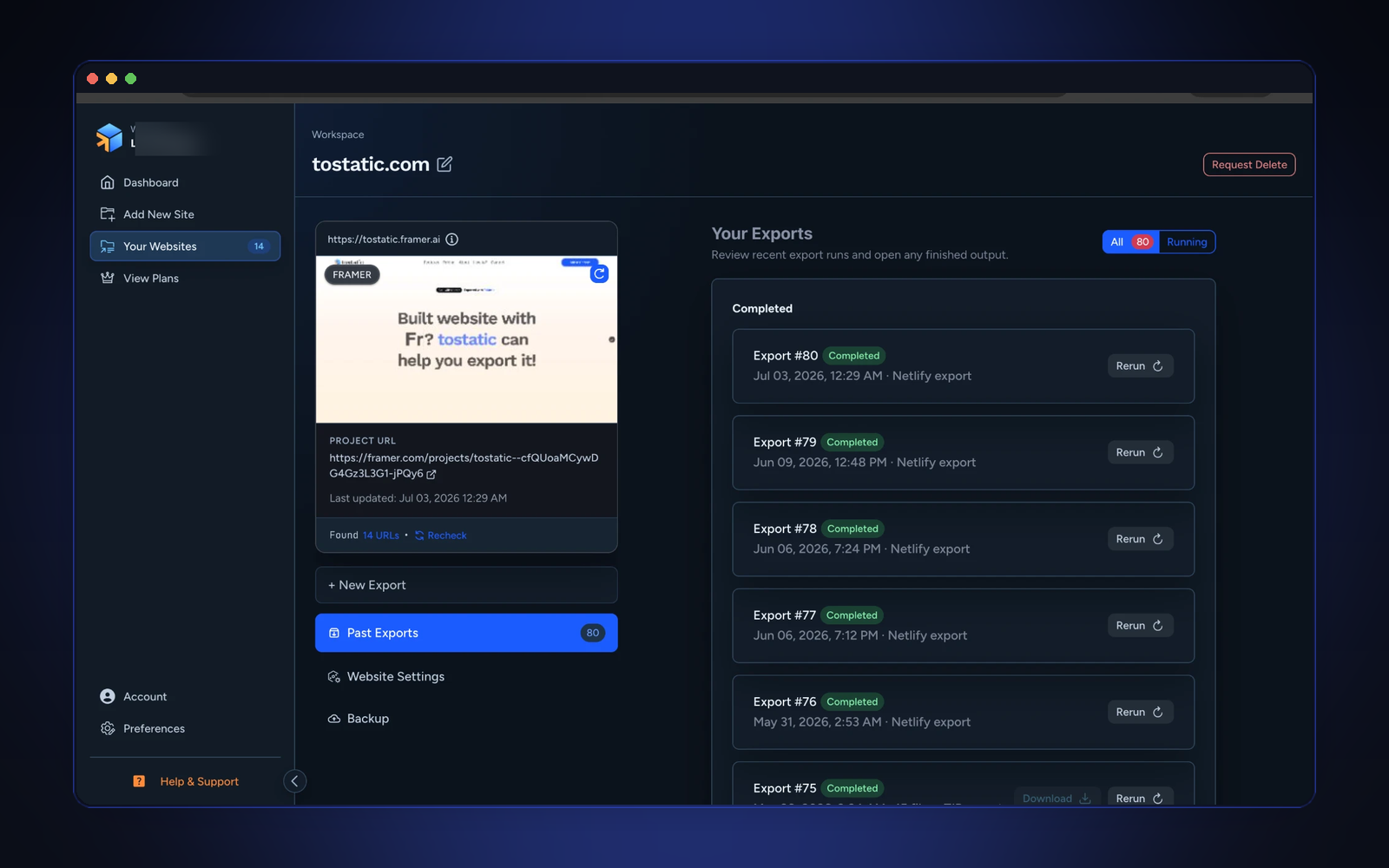
Restart failed deploys instead of guessing
Static deployments can fail because of large assets, network issues, hosting credentials, or platform limits. A restart action is useful because it preserves the export context while retrying the deploy path.
Separate source edits from hosting work
The builder remains where design edits happen. ToStatic handles the static output, export queue, preview, and hosting handoff. This separation keeps designers in their tool while giving operators a repeatable release path.
Automatic deploys are most valuable when the alternative is manual file handling every time a small page update ships.
Conversation
Comments
Ask a question, share a practical note, or reply to another site owner.