
Your website is already built. The question is not how to make another site. The question is how to get more control over the site you already have.
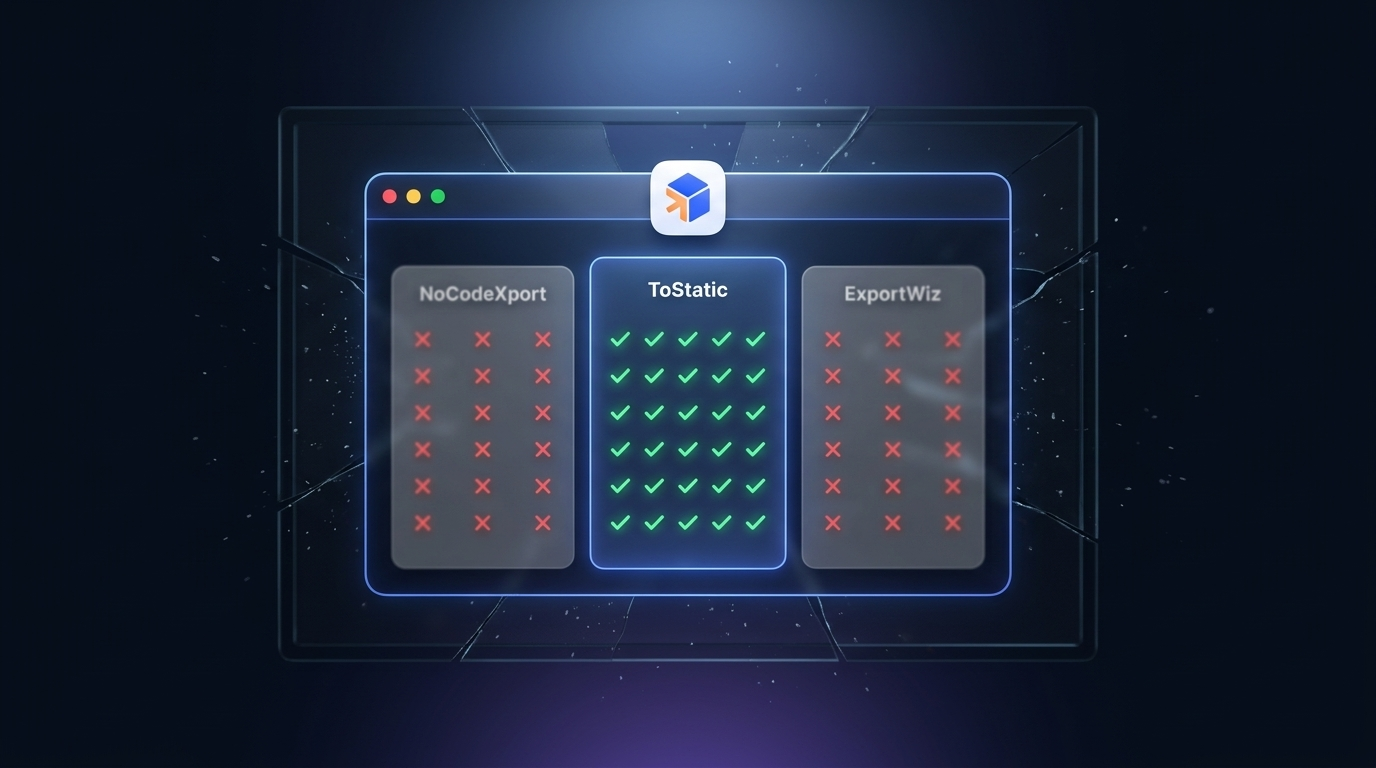
Alternatives may be fine. ToStatic is built to be the best. Here’s exactly how it compares against the tools people usually try first: NoCodeXport, ExportWiz, and FrameXport.
How is ToStatic better than NoCodeXport, ExportWiz, and FrameXport?
NoCodeXport: no ownership checks, manual downloads, breaks privacy
NoCodeXport lets anyone download any website as a ZIP, with no verification that you actually own the site. That’s a privacy problem, not a feature. On top of that, every single change means another manual download — there’s no sync, no automation, no history.
ExportWiz: needs an account, only gives you a ZIP
ExportWiz requires signup before you can export anything, then hands you a flat ZIP file and calls it done. No preview, no deploy path, no automatic re-export when the source site changes — and the useful capacity sits behind a paywall.
FrameXport: needs an account, locked to Framer, only ZIP downloads
Same signup wall as ExportWiz, with an added catch: FrameXport only works if your site happens to be built in Framer. Wix, Webflow, Squarespace, Notion, and Lovable projects are out of luck. You still only get a ZIP at the end.
How is ToStatic better?
- No login or signup needed — ToStatic verifies project ownership instead of collecting accounts.
- Multi-platform support: Framer, Webflow, Wix, Squarespace, Notion, and Lovable.
- Syncs your changes on Chrome, so your setup follows you across devices.
- With the Chrome extension installed and automatic deploy enabled, updates ship the moment you publish — no manual re-export, no extra clicks.
- Preview, export history, ZIP download, and hosting deploy in one pipeline, not a one-time file drop.
NoCodeXport, ExportWiz, and FrameXport are used here for direct comparison; all product names and logos remain the property of their respective owners.
ToStatic vs staying inside the platform
Website builders are useful places to design and publish. They are not always the best long-term home for a finished marketing site, landing page, portfolio, or client handoff.
When the site is locked inside one platform, you are tied to that platform’s hosting rules, pricing, bandwidth limits, export options, script restrictions, and domain workflow. ToStatic adds an exit path: export the public website into static files, preview it, keep a backup, and host it where it makes sense.
That gives you platform independence without losing the website you already approved.
ToStatic vs built-in export options
Some builders offer exports, but those exports are often limited by plan, platform, asset handling, dynamic behavior, or missing deployment workflow.
ToStatic is built around the full website-export job. It captures pages and assets, preserves styling, prepares static output, supports preview and download, and connects export history with deployment decisions. It is designed for people who need the website to keep working after it leaves the builder environment.
ToStatic vs generic website downloaders
Generic downloaders can copy files, but most stop there. They usually do not understand the workflow around a real website move: ownership, repeat exports, preview review, SEO cleanup, custom scripts, custom styles, compression, backups, and deploy status.
ToStatic adds product layers around the export:
- Chrome extension capture from the site context.
- Export status, history, preview, and ZIP download.
- Script and style injection for fixes or tracking.
- SEO improvements for cleaner public pages.
- Page compression for lighter static output.
- Hosting and automatic deploy paths for repeat updates.
The value is not just “get files.” The value is turning a platform-bound site into a portable website you can improve, host, and recover.
What values does ToStatic add?
With the ToStatic Chrome extension installed, your changes get deployed automatically as soon as you publish them on the platform (given that you have automatic deploy enabled and the platform is supported). That’s a seamless pipeline without extra navigation or clicks once your export process is set up. Additionally:
- No Login or Signup needed
- Project verification for ownership, so only you can add your website on ToStatic
- Backup of your website on a (supported) platform of your choice
- Fixes your website’s SEO and redirect rules before generating the export for your
- And so much more!
ToStatic vs backup tools
Backups are useful, but a backup that cannot be previewed, hosted, or handed off is only partial protection.
ToStatic exports are practical recovery points. You can inspect the result, keep a working static copy, download it, and use it as a safer fallback before major site changes, platform changes, or client transitions.
ToStatic vs static hosting alone
Static hosts are excellent once you already have clean files. They do not create those files from Framer, Webflow, Wix, Squarespace, Notion, Lovable, or another builder.
ToStatic sits before hosting. It creates the portable static version, then helps you preview, download, back up, or deploy it. Hosting is the destination; ToStatic is the bridge from the platform to that destination.
Who gets the most value
- Founders who want to lower platform dependency after a launch page is live.
- Agencies that need portable client handoffs, previews, and repeat exports.
- Designers who want to add scripts, styles, SEO fixes, or compression without being boxed in by the builder.
- Operators who want backups and rollback options before changing domains or platforms.
ToStatic is better when your website already exists and you want more control over what happens next: where it is hosted, how it is optimized, how it is backed up, and how easily it can leave the platform.
Conversation
Comments
Ask a question, share a practical note, or reply to another site owner.