

Visual builders are excellent for shipping a polished website quickly. The problem starts when the site is finished and you want a portable copy, lower hosting costs, or a clean handoff.
Use this workflow before moving a Framer, Webflow, Wix, Squarespace, Notion, or Lovable site to static hosting.
1. Confirm ownership and export scope
Start with a site you own or are authorized to move. Open the source site, install the ToStatic Chrome extension, and add the website from the browser context where the page already works.
For large sites, run a small export first. Check the homepage, important landing pages, assets, forms, scripts, canonical tags, and internal links before scaling the export.
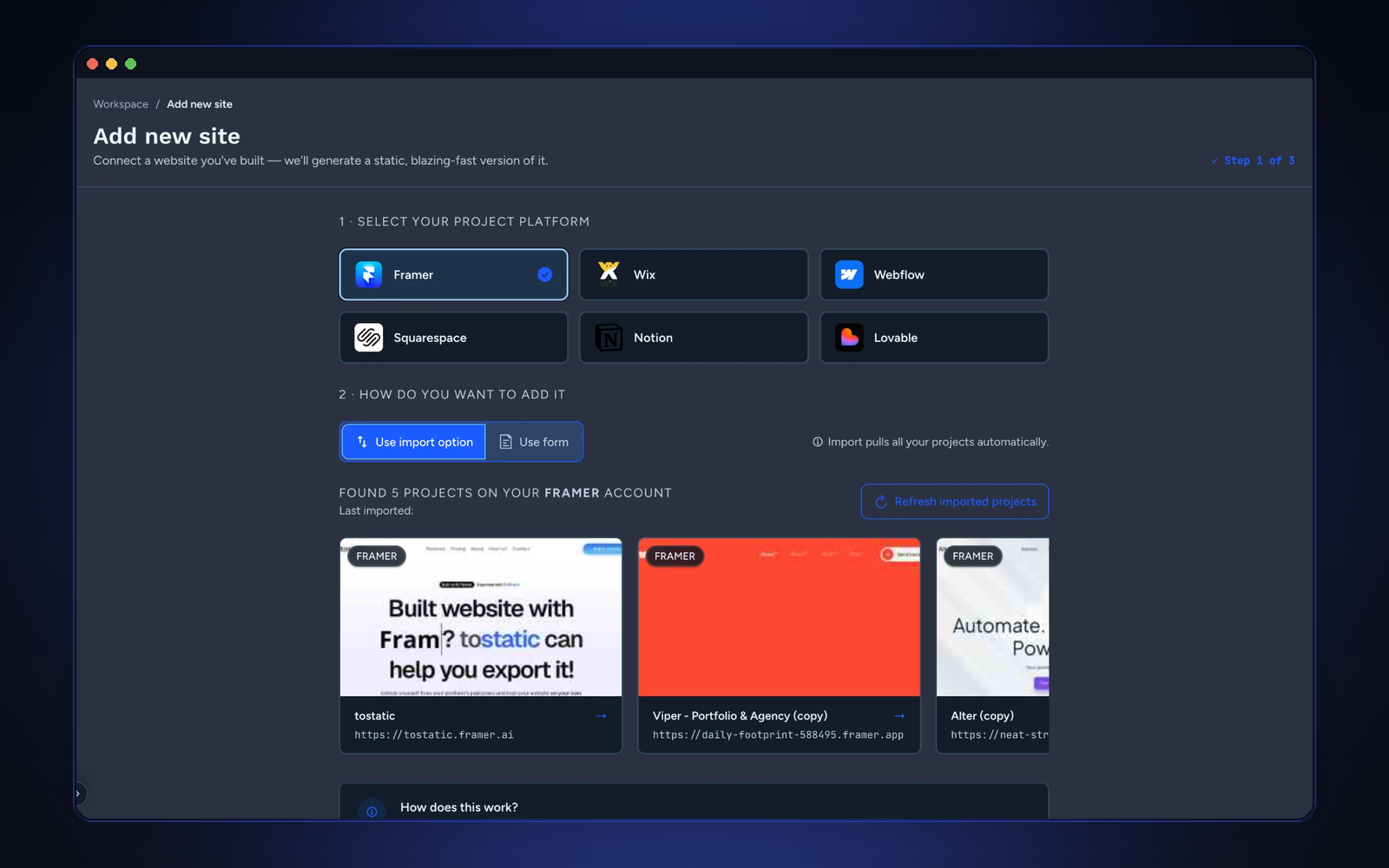
2. Preview before touching DNS
Never change DNS first. Export the site, open the ToStatic preview, and compare the important pages against the live source.
Look for layout shifts, missing fonts, blocked assets, broken anchors, analytics scripts, and pages that should not be public. Fix the source or export settings, then export again.
3. Preserve SEO basics
Before launch, verify:
- Title tags and meta descriptions.
- Canonical domain.
- Indexable pages only.
- Redirects for changed URLs.
- Open Graph image and social previews.
- Sitemap and robots paths after deployment.
These checks matter more than the export format. A static site can rank well when the metadata and crawl paths are clean.
4. Download or deploy
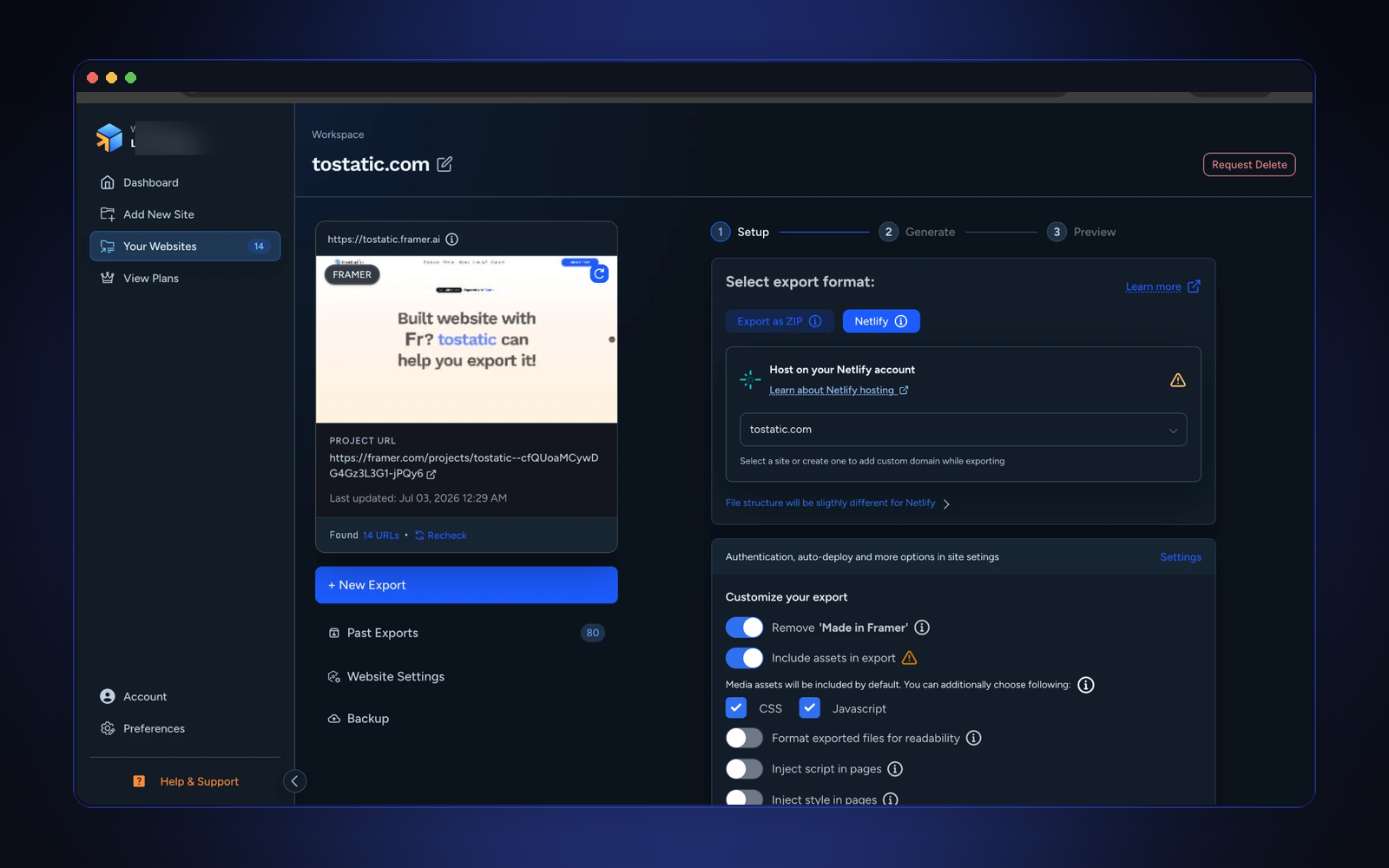
For one-time handoffs, download the ZIP. For ongoing sites, use automatic deploys so new exports can update hosting when the source project changes.
Keep the source builder project available until the static version is reviewed on its final domain.
5. Keep a rollback copy
Every important export should become a recovery point. Agencies can keep milestone exports for client approvals. Founders can archive launch pages before a redesign. Teams can keep a clean static copy before platform changes.
The goal is not just to move files. The goal is to make the website portable without losing trust in the live result.
Conversation
Comments
Ask a question, share a practical note, or reply to another site owner.