
Step 01
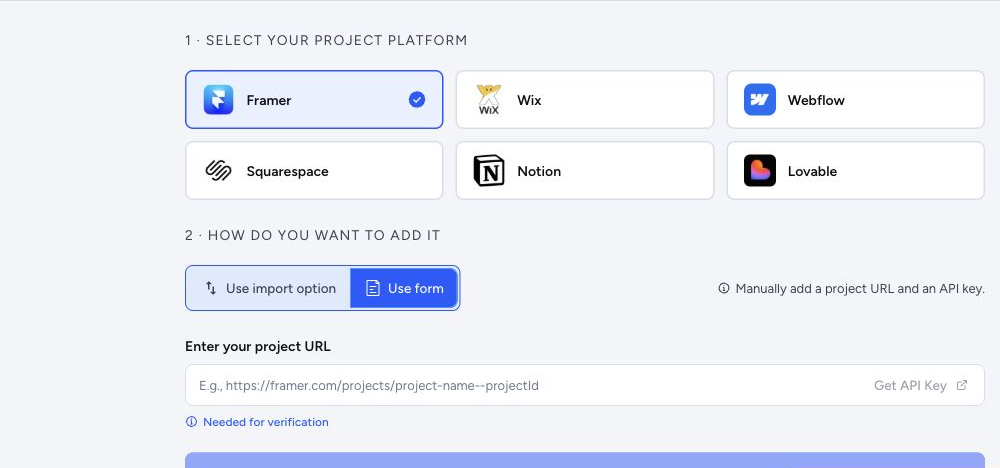
Step 01
Add the source site
Install the extension and add the site from Chrome.
How it works
A clear path for teams that need a portable copy without slowing down the builder process.
Start from the web app, or capture directly from the page with the Chrome extension.
Confirm ownership, choose the site, and set the export scope before the queue starts.
ToStatic discovers URLs, downloads HTML, rewrites references, and packages static output.
Review the export before changing DNS, sending files to a client, or replacing hosting.
Keep a ZIP backup, browse files, or publish to static hosting with a custom domain.
Run SEO audits and page-performance scans, and keep backups current as the site evolves.
Step 01
Install the extension and add the site from Chrome.
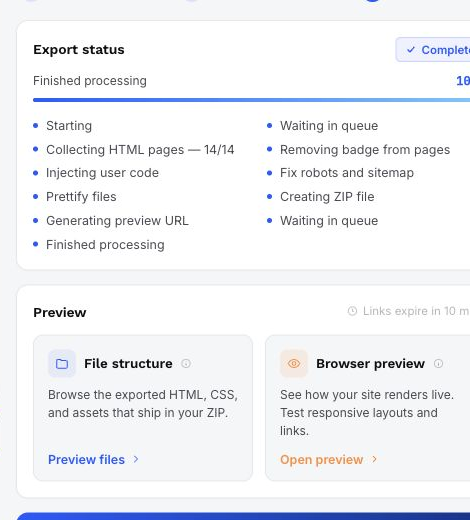
Step 02
The app shows status, preview, files, and final download/deploy options.