

FramerMarketing sites
ToStatic turns visual-builder sites into portable static files. Then the web app takes it from there: previews, backups, deploys, custom domains, and SEO and performance checks.

Published builder page
Approved page, ready to exportSource
Your approved builder page, live in Chrome. No rebuild, no migration tool.
Capture
Ownership is verified and pages and assets are prepared while the site stays live.
Convert
Clean HTML, CSS, and JavaScript you can open, inspect, and diff.
Own
One ZIP, hosted anywhere. No platform lock-in, ever.
Supported builders
Keep the approved design. Move the finished site when hosting cost, client handoff, SEO-safe static hosting, backups, or platform lock-in becomes the problem.





The web app
Exports are where it starts. From the same dashboard you keep restorable backups, deploy to static hosting, connect custom domains, and run SEO and page-performance checks on every site you manage.
SEO & Performance
Every site you manage gets ongoing SEO and Core Web Vitals monitoring, plus AI-assisted fix suggestions for what's holding pages back — no separate SEO tool subscription. Every plan includes monthly credits for audits, checks, and AI suggestions: Free gets 400/mo, Pro 1,200/mo, Agency 5,000/mo. They renew monthly without rollover; a voucher adds a separate country-specific credit pool when you need more.
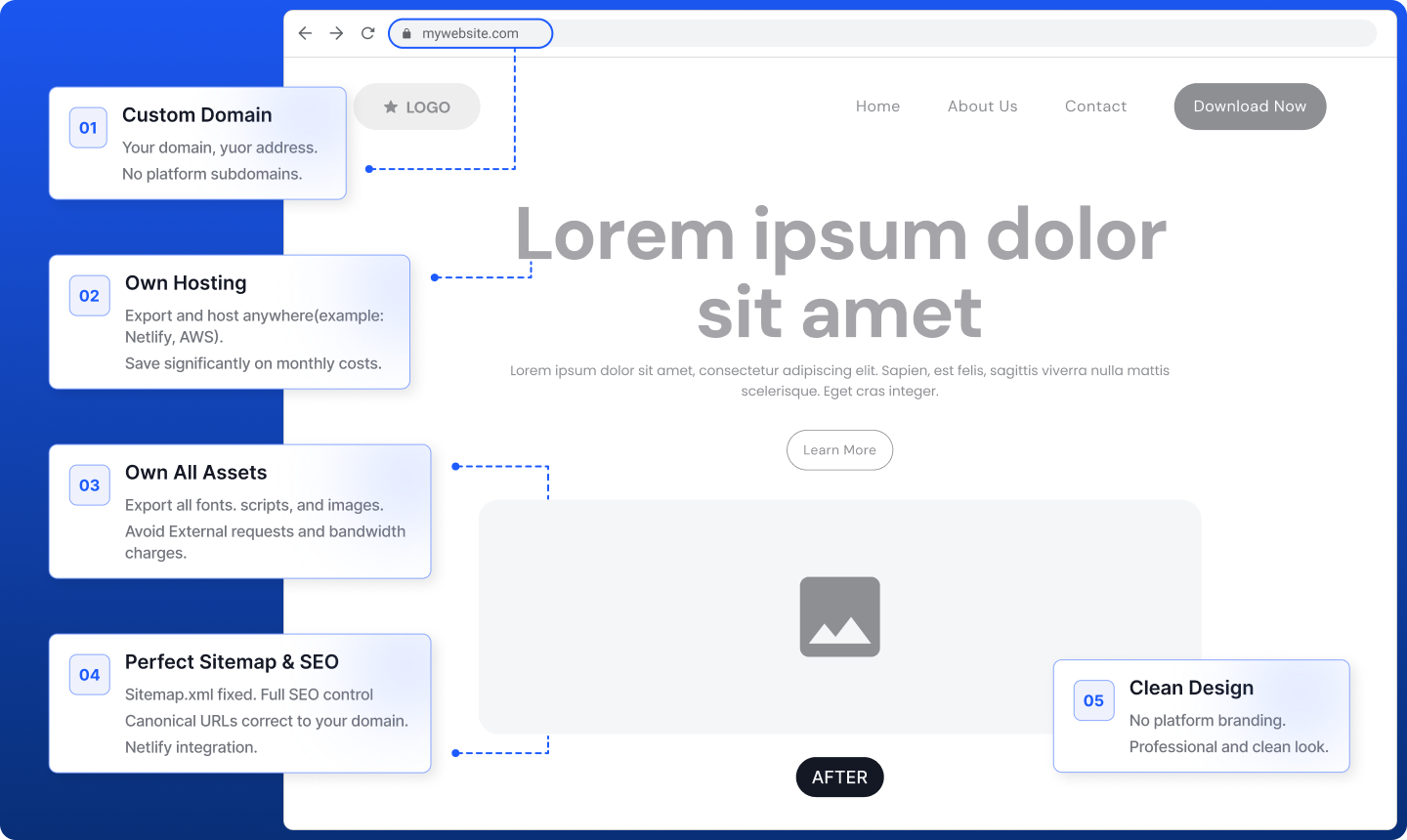
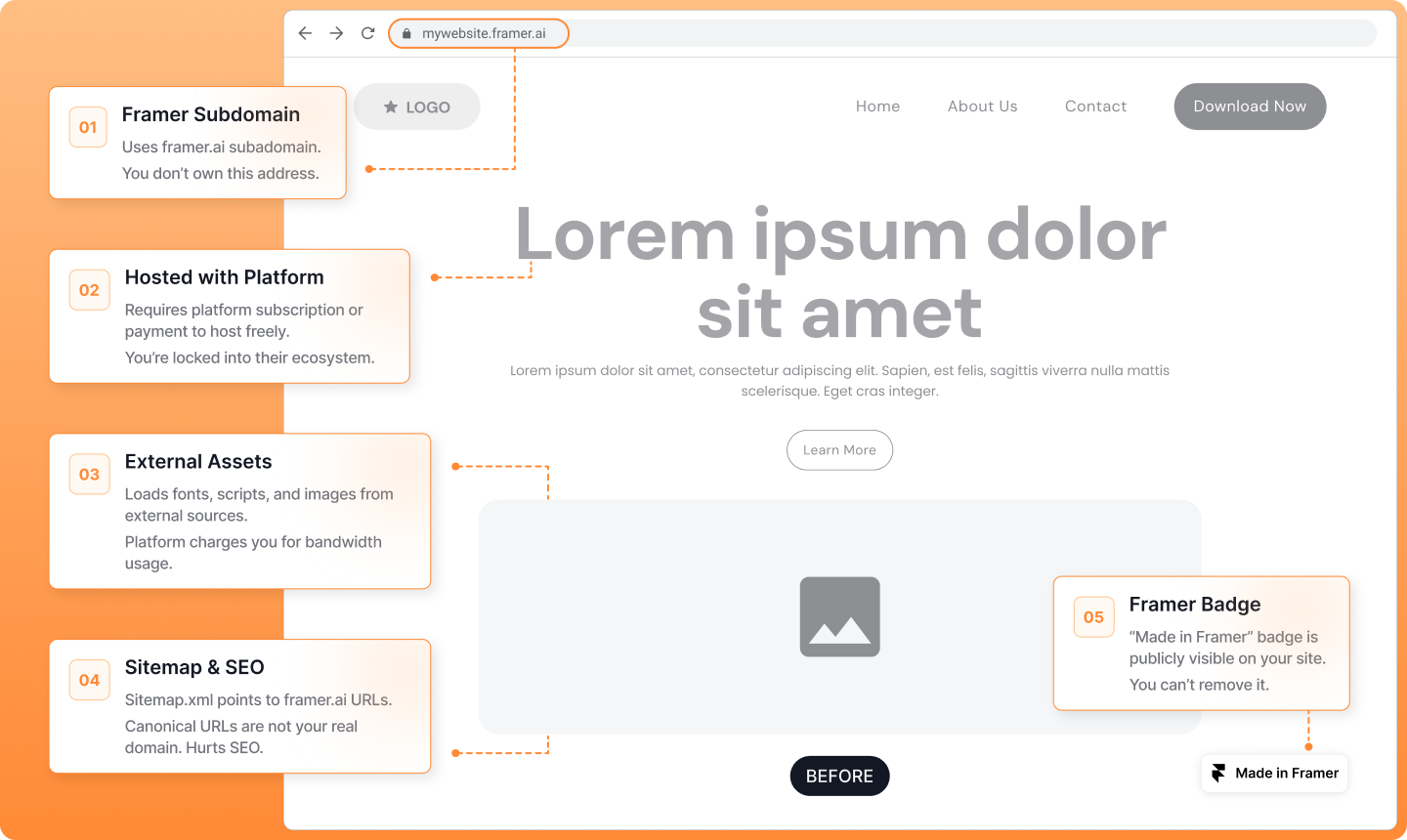
Before and after
For finished marketing sites, rebuilding is usually the expensive part. Export the live version, inspect the static output, then decide where it should be hosted.
Workflow
Start from the web app, or capture directly from the page with the Chrome extension.
Confirm ownership, choose the site, and set the export scope before the queue starts.
ToStatic discovers URLs, downloads HTML, rewrites references, and packages static output.
Review the export before changing DNS, sending files to a client, or replacing hosting.
Keep a ZIP backup, browse files, or publish to static hosting with a custom domain.
Run SEO audits and page-performance scans, and keep backups current as the site evolves.
Pricing
Free covers first tests. Pro adds repeat exports and deploys. Agency is for client volume.
Get started with exports at no cost.
For individuals and creators who publish regularly.
For agencies and power users managing many client sites.
Voucher, €14,99 per voucher
Standard voucher includes 1,500 credits, with no subscription needed. Sign in to see eligible regional prices and credit amounts.
Resources

A practical website handoff checklist for moving hosts: preserve URLs, export the files you own, reconnect services, test the new destination, and switch traffic with a rollback plan.
August 20, 2026 · 6 min read
A practical Framer export-to-HTML workflow for creating a portable copy, checking SEO and layout details, and planning a safer handoff or hosting move.
June 11, 2026 · 6 min read
Learn how to export a Wix website to reviewable HTML and static files, preserve important blog URLs, keep a dated backup, and plan the checks needed before a handoff or hosting move.
June 10, 2026 · 5 min readFAQ
Yes. ToStatic is for sites you own or are authorized to export.
No. Keep the source project live until the static export is reviewed and approved.
No. Exports are the starting point — the web app also manages backups, deploys, custom domains, SEO analysis, and page-performance monitoring.
Create a free account in the web app and add your site. For supported builders, the Chrome extension makes capture even smoother.